News
A good conference video recording is planned around the intended deliverables: a full-length recording, short video clips, or a livestream. A typical setup includes two to four cameras, a video control room, and direct audio input from the sound console.
Video recording captures an actual conference as it happens. Webcasting is added to the recording to transmit the signal live to remote participants. At hybrid events, the two work together: the room is filmed, and the signal is sent to online participants.
Video production (corporate films, motion graphics, promotional videos) is created under controlled conditions, based on a script. Our expertise is event recording, with webcasting and hybrid events available as an option. Your agency or team is responsible for creating the message; we handle the technical execution.
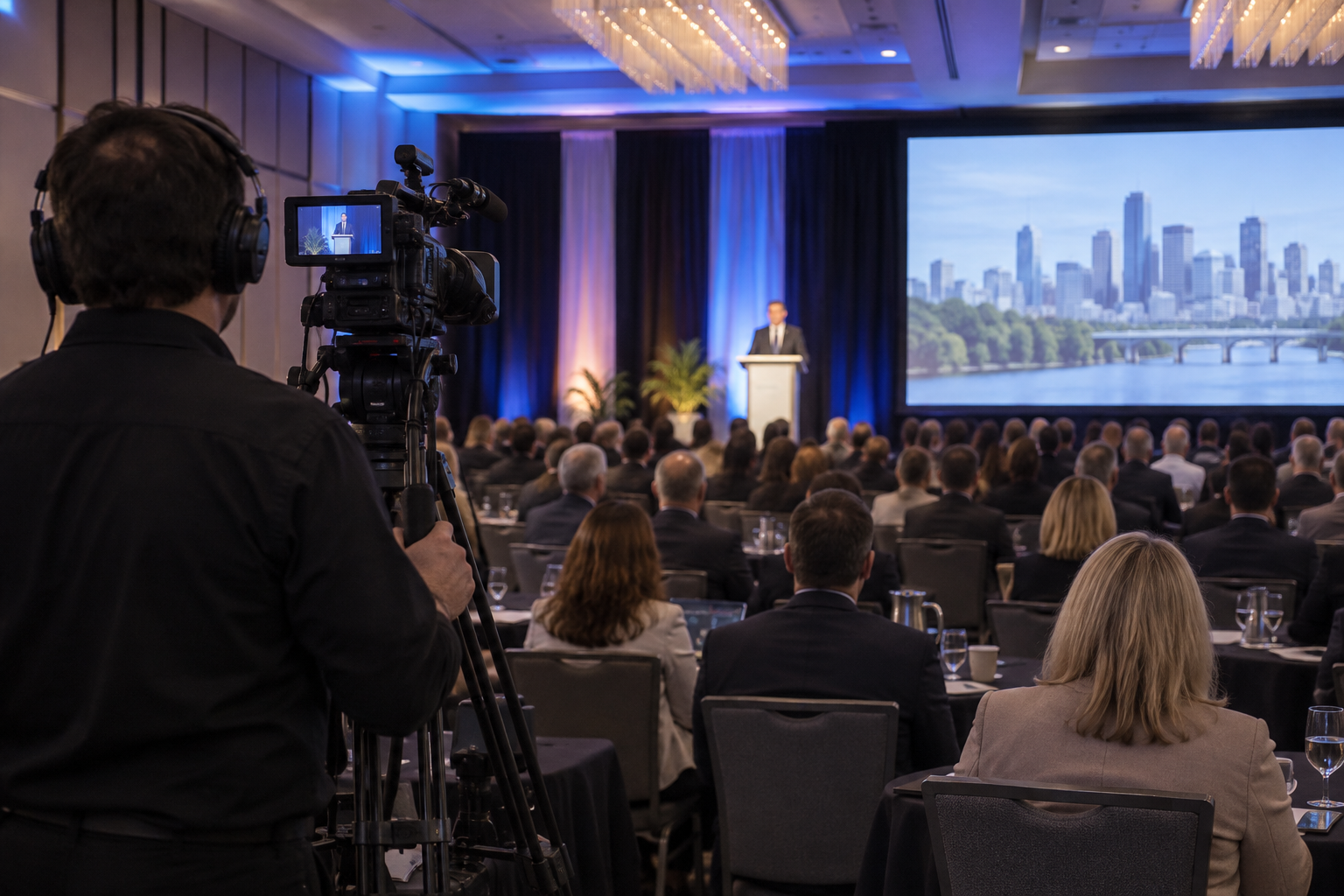
The wide-angle camera at the back of the room serves as the reference shot throughout the conference.
Deliverables should be defined at the project design stage because the filming approach changes depending on the intended use and format. Recording an annual general meeting requires a stable shot and clean audio. A series of web clips requires more varied shots and clearly identified key moments. This choice has a direct impact on the setup.
A well-edited full-length recording becomes a long-term resource. Your clients, members, or employees can watch the conferences again afterward, and a recorded training session can be used for ongoing professional development. Also specify the expected video formats and usage rights (website, intranet, newsletter).
We typically provide four types of deliverables:
The raw recording is delivered shortly after the conference. Editing the short clips takes a few business days, depending on the volume.
Subtitling should also be decided at this stage. According to the W3C WCAG 2.1 guidelines, subtitles for prerecorded videos fall under Level A, while live subtitles fall under Level AA. The W3C specifies that automatic captions alone are not sufficient.
A single fixed camera at the back of the room provides a basic archival recording, useful for training, but rarely much more. For a more engaging result, we recommend a multicamera setup, as explained on our page about multicamera event video recording.
It includes three camera angles, plus a direct source:
The signal coming directly from the speaker's computer provides perfectly readable text. Discreet robotic cameras and a backup solution in case of signal loss are available as options.
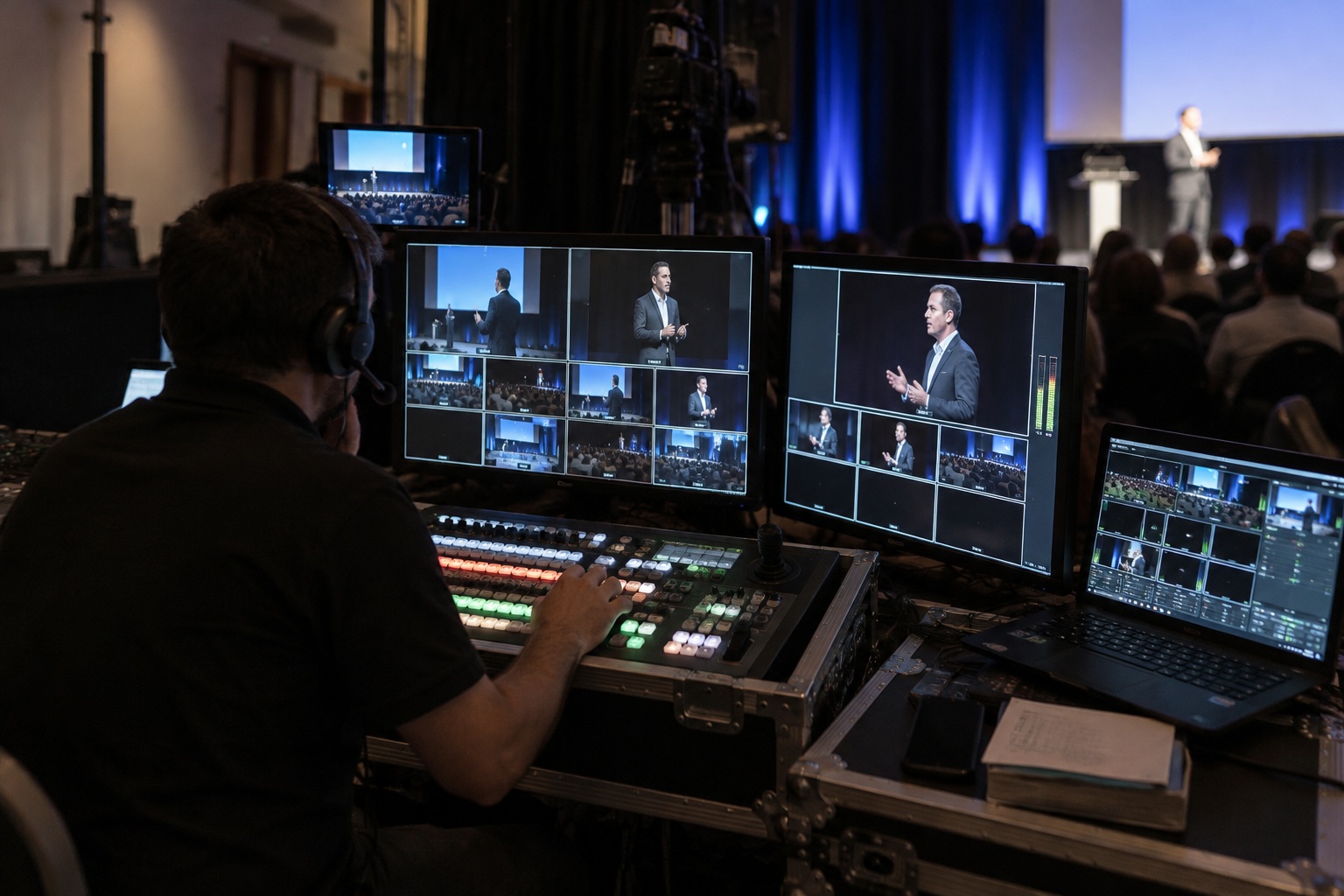
In the control room, a director selects the shots live. The source footage can also be provided if you handle post-production yourself. Sound, lighting, projection, and video are handled by the same professionals from a single control room.
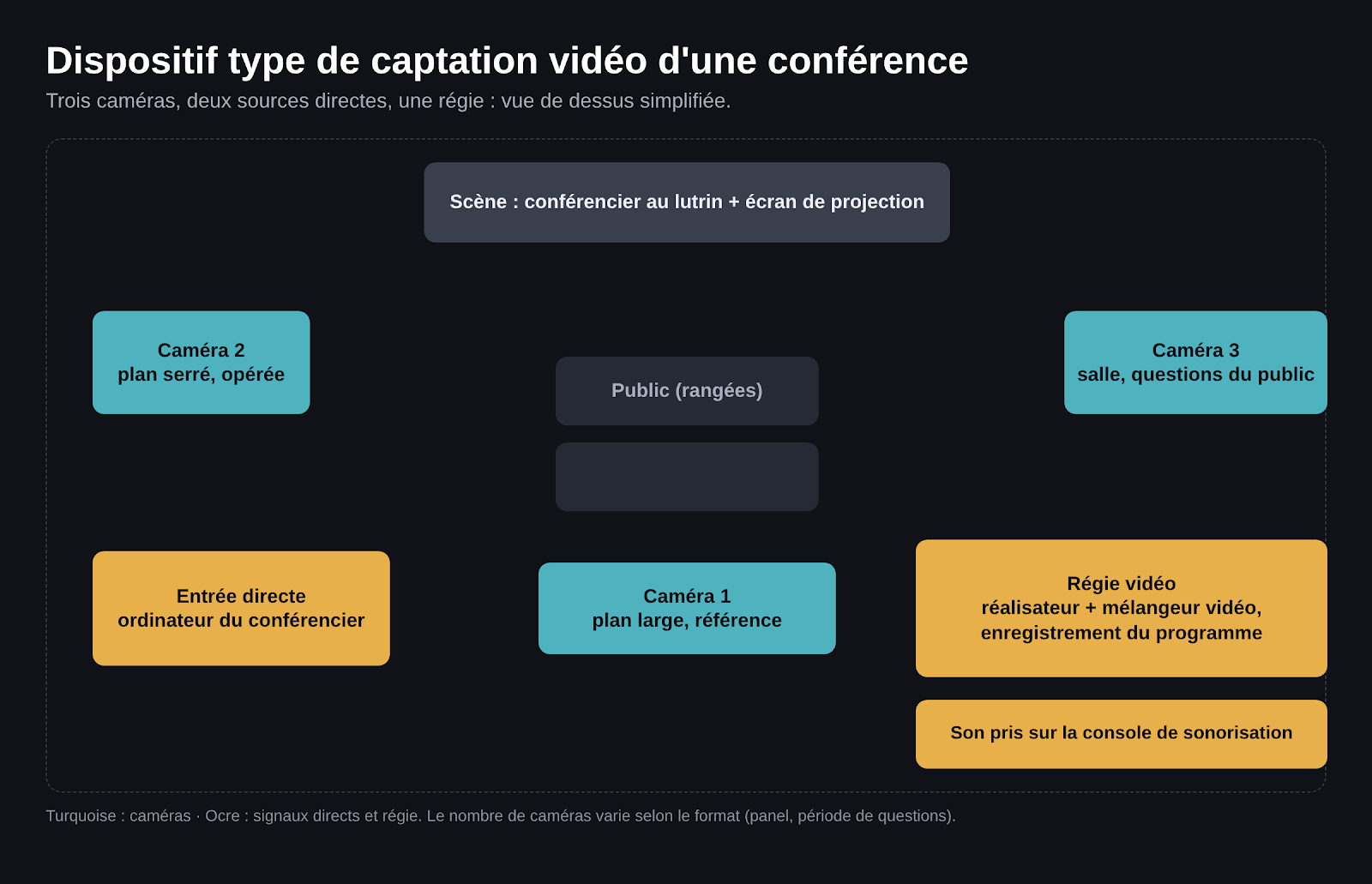
Typical setup: three camera angles, two direct signals, and one control room.
Poor audio mixing makes the speaker unintelligible, even when the image is excellent. We therefore capture audio directly from the event sound system console, where the signals from the speakers' wireless microphones are already mixed. Microphone management and video production are therefore coordinated. Filming a conference requires specific technical expertise: room constraints, signals, lighting, and live audio.
The Q&A session requires special attention. If questions are asked without a microphone, people in the room can hear them, but those watching the recording or livestream cannot hear anything. Provide handheld microphones or floor-standing microphones in the aisle, as well as a room microphone for recording. Written questions and polls can also be incorporated into the production.
The technical site visit should ideally take place 3 to 4 weeks before a conference or gala. We can work with the equipment already installed in the venue and supplement anything that is missing.
Lighting is adjusted for filming. An underlit stage produces a noisy image, while poorly managed backlighting darkens people's faces. We adjust the stage lighting to suit the filming requirements without dazzling the speakers.
If you are broadcasting online, the Internet connection must be tested in advance. For 1080p at 30 frames per second in H.264, YouTube Help specifies a minimum bitrate of 5 Mbps and a recommended bitrate of 14 Mbps. A backup connection completes the setup.
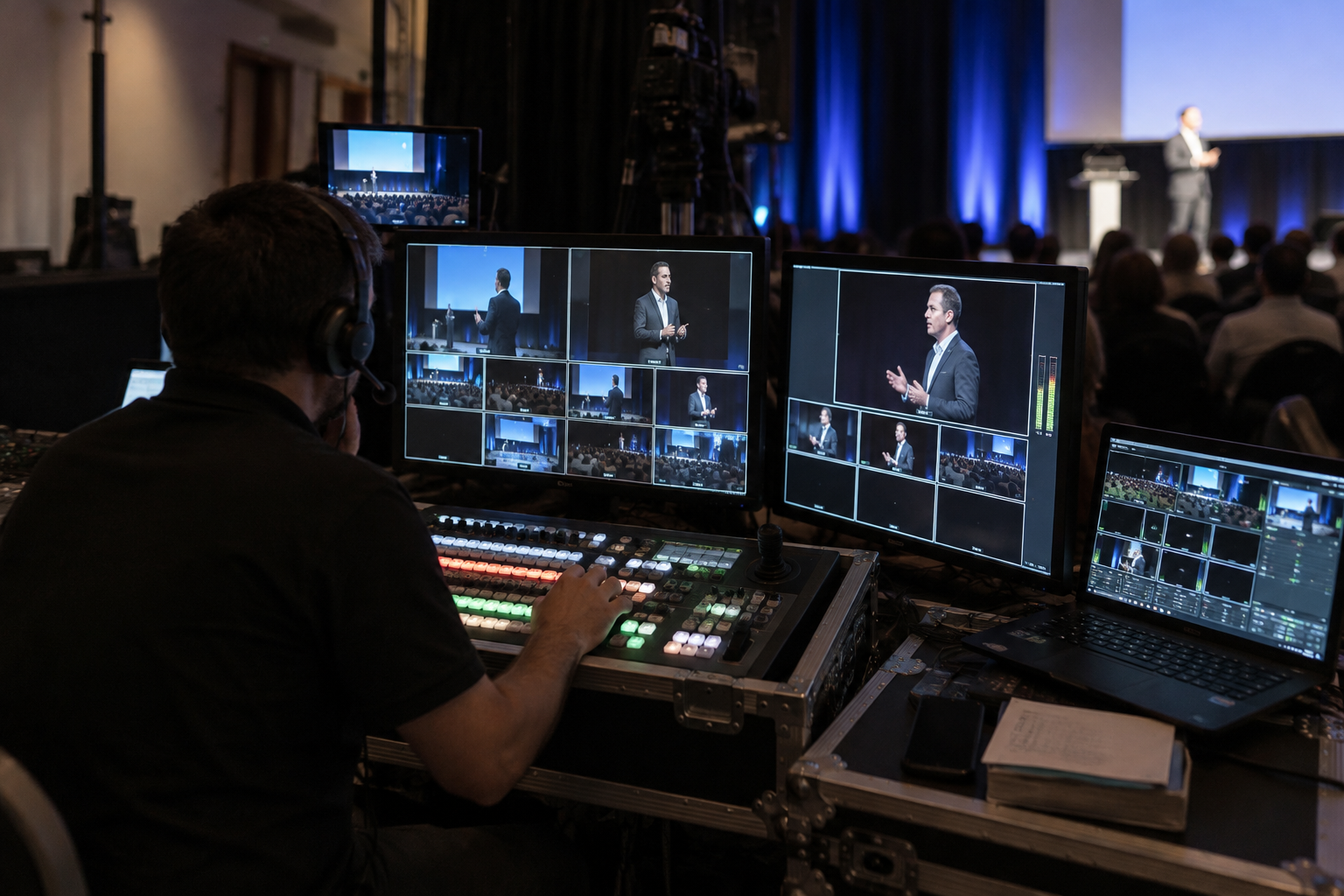
In the control room, the director selects the shots live.
The most common setup combines a livestream with a full recording running simultaneously. Livestreaming requires an encoder, a tested connection, a backup link, and an operator monitoring the stream. Broadcasting can take place on YouTube, Vimeo, Teams, or Zoom, through a virtual event platform, or using an embedded player on your website.
Teams' built-in tools record the meeting, but they do not replace a multicamera control room. According to Microsoft documentation, all participants receive a notification when recording starts, and everyone's consent may be required depending on the region. The organizer owns the recording and must have an eligible Microsoft 365 licence. Guests cannot record.
Teams also accepts an external signal (RTMP-In). We then feed it the signal mixed in the control room, and online participants see that signal, including its camera changes.
Filming identifiable people involves their right to privacy. Article 35 of the Civil Code of Québec prohibits violations of privacy without the person's consent or legal authorization. Under Article 36 (5°), using a person's image or voice for a purpose other than legitimate public information may constitute an infringement. Éducaloi explains that a recording in which a person is identifiable cannot be published without their consent.
Common practices include adding a notice to the registration form, displaying a notice at the entrance, providing an area outside the camera's view, and obtaining written authorization from speakers.
Slides, video clips, and music played during a conference are protected works under the Copyright Act. Their communication by telecommunication, live or on demand, requires permission from the rights holders. Have each speaker confirm these rights in advance. For your specific situation, consult a legal advisor.
The cost depends on several variables, and we do not publish prices. The main factors are:
We provide custom quotes for all projects, based on these different items. Each item is listed separately in the quote, which we send within 24 hours.
The team arrives early for setup, then tests the sound, image, and signal with the speakers. During the conference, the director selects the shots live and the control room records the event. Equipment is dismantled after the programme ends, and files are delivered according to the agreement. A single point of contact manages your project from start to finish.
Our services cover sound, lighting, projection, and video recording, all handled by a single team. Our professionals have produced more than 500 events, from 40-person seminars to conferences with 1,000 participants, in Montreal, Laval, Longueuil, Brossard, and the Quebec City region. To request a quote, provide the date, venue, number of participants, programme, and number of speakers. If you have any questions about editing or deliverables, contact us directly.


Customized audiovisual solutions for immersive corporate events.